This document assumes that you have already created the app and registered the app for Transilience to have read only access into Azure. If not , refer to this document. Once the app is created, you need to add permissions for Transilience to access the logs.
The below is the summary for logs that are usually needed for compliance , depending on what Microsoft services you are using for security logging, monitoring and incident management.
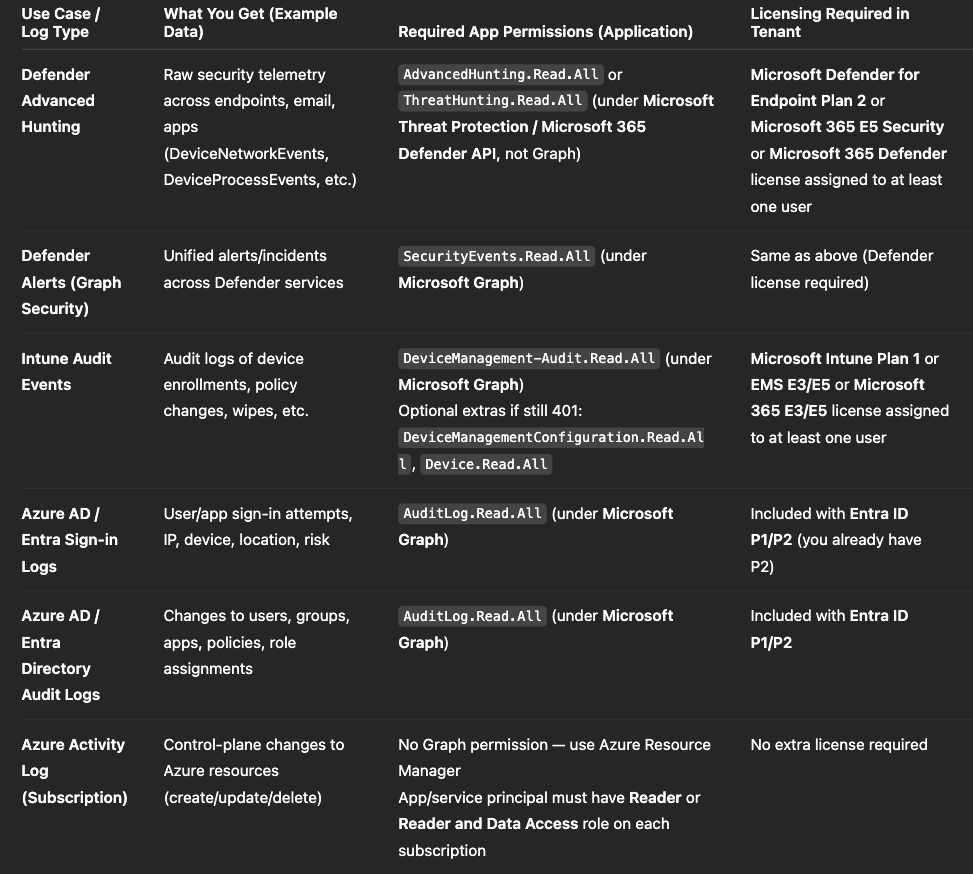
In summary, you are giving access for Transilience to store, analyze and alert on Defender logs, Entra access logs, Intune logs
Step 1 -
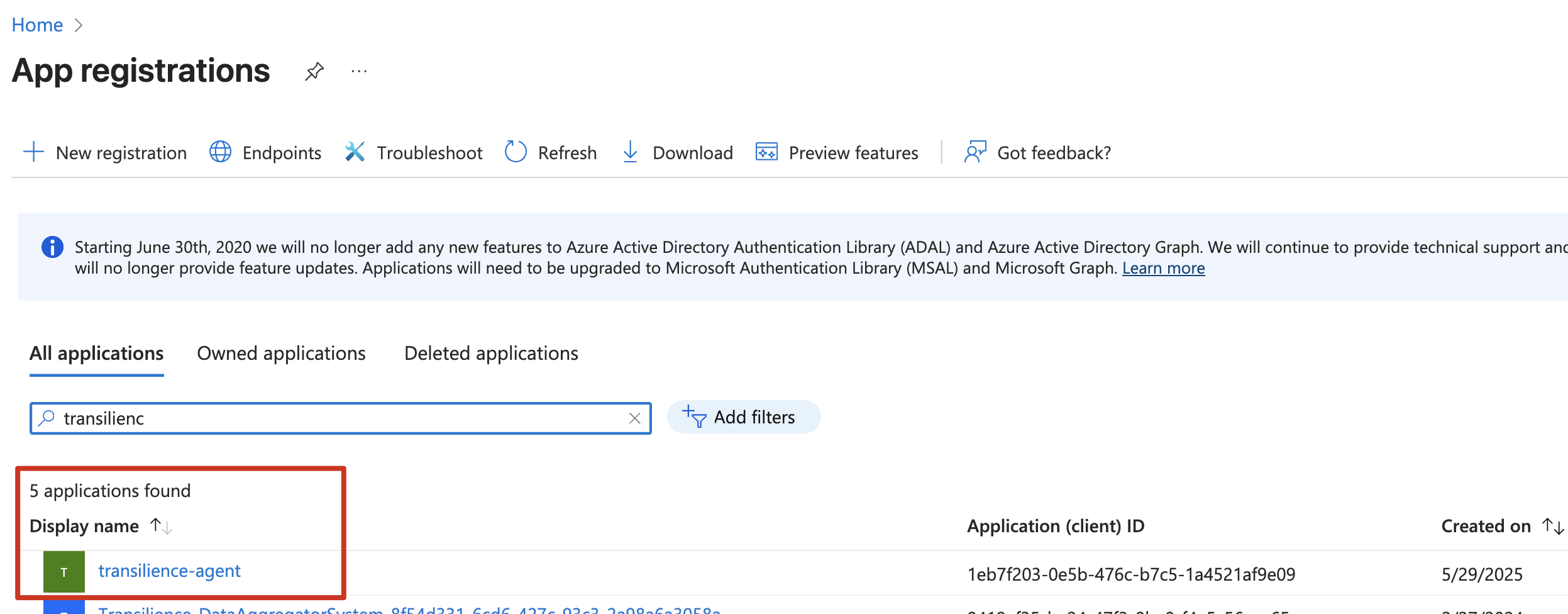
Go to the registered app in App registrations, which you created already.
Click on API permissions
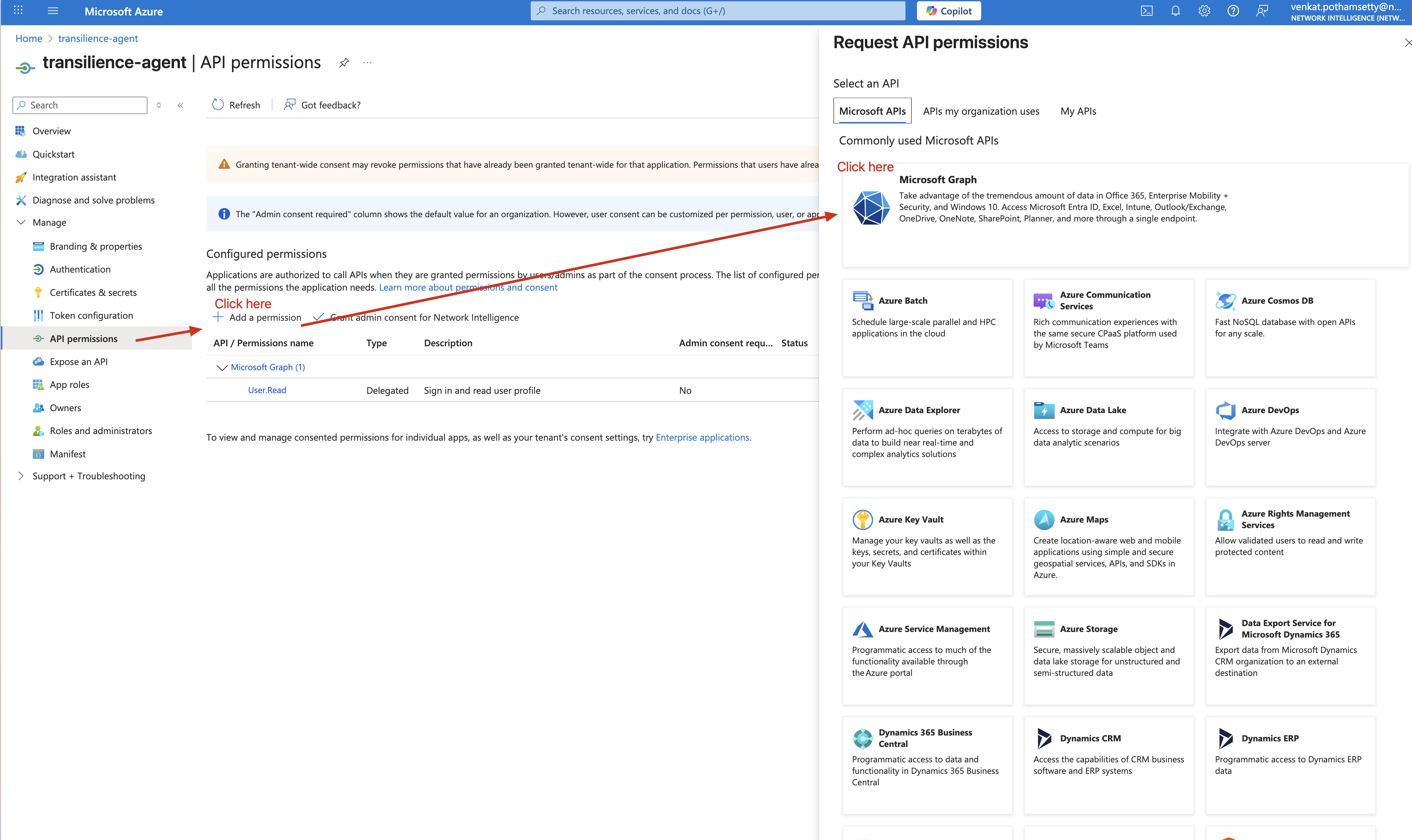
Step 2 -
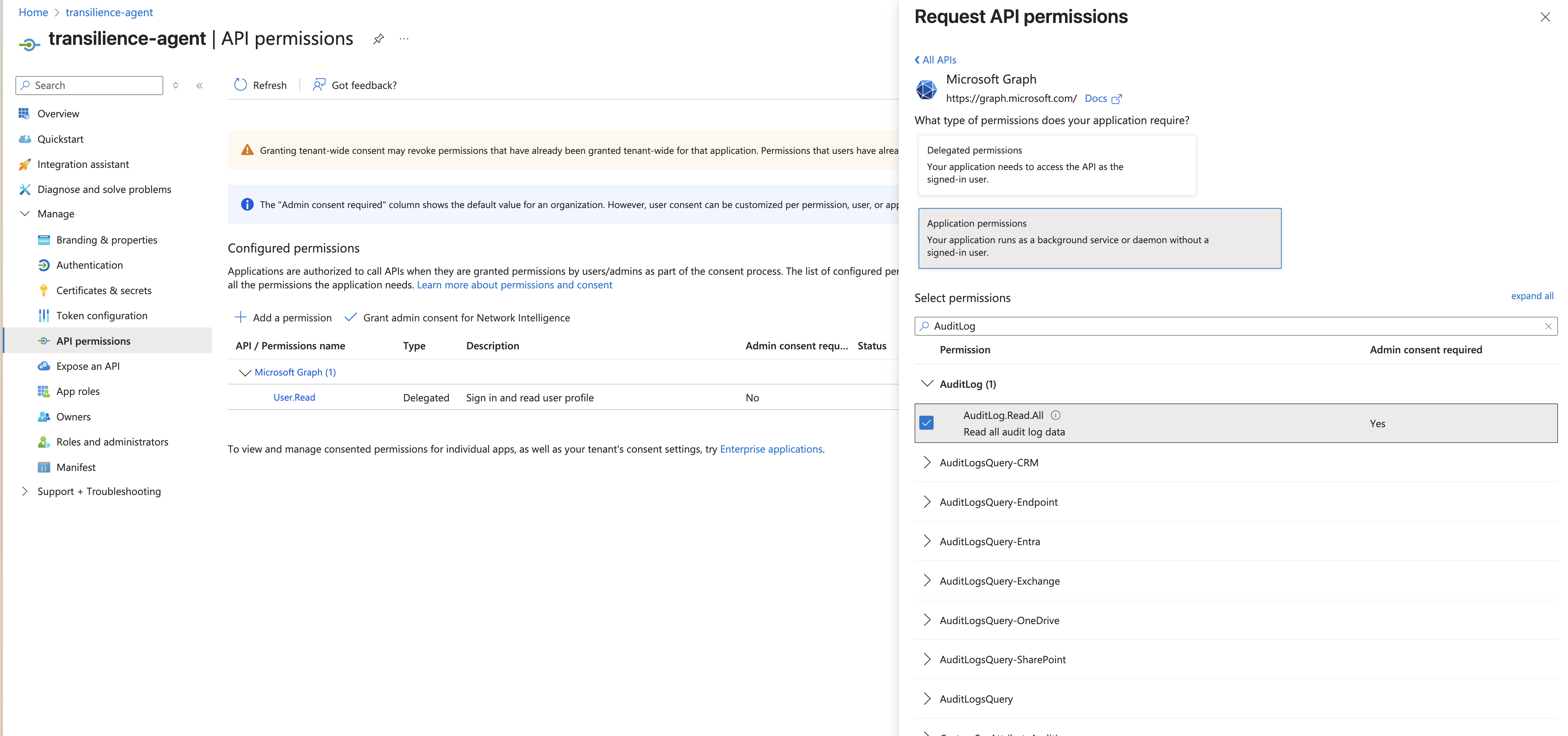
Add each of the permissions above. Below are couple of examples.
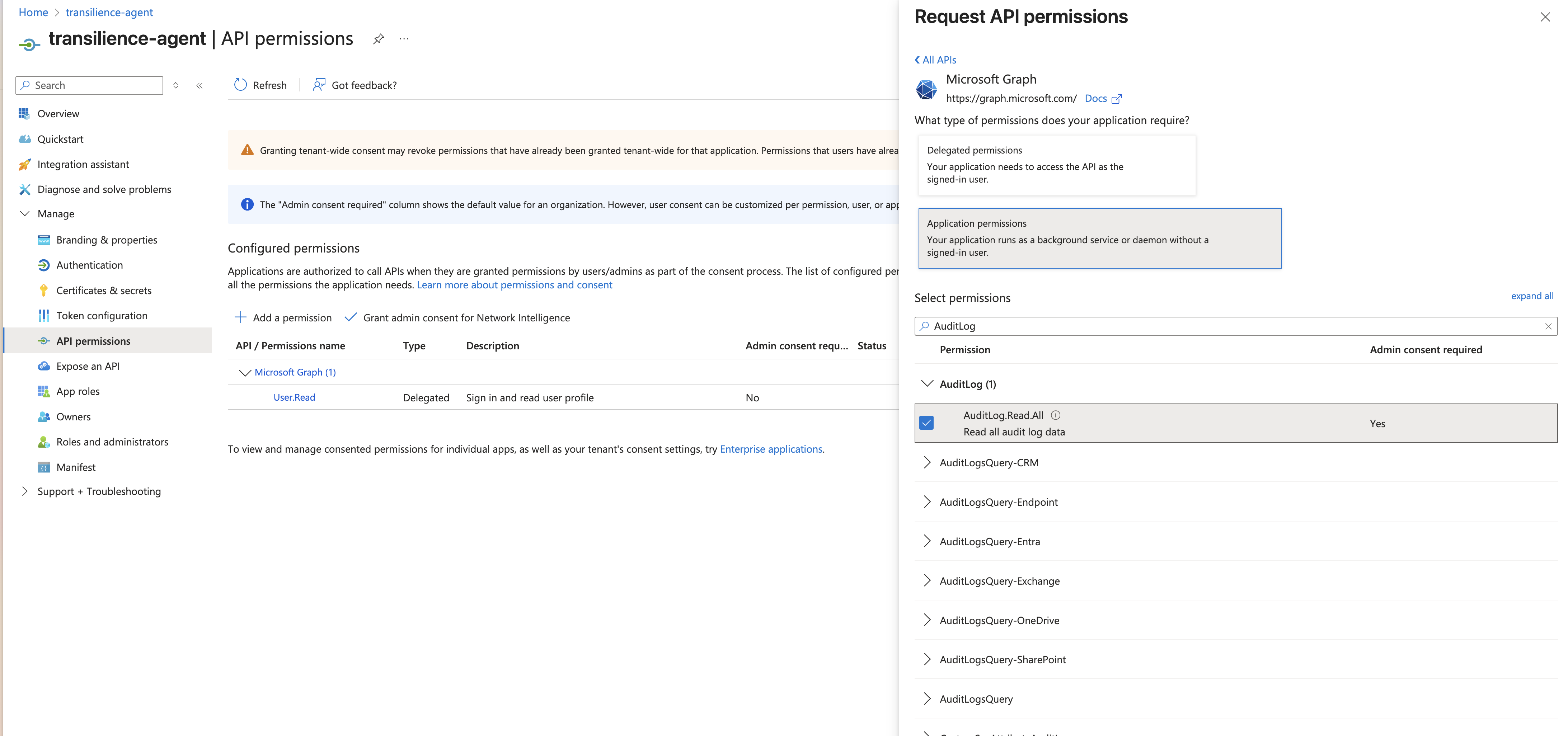
Audit Log
(for us to read the audit logs)
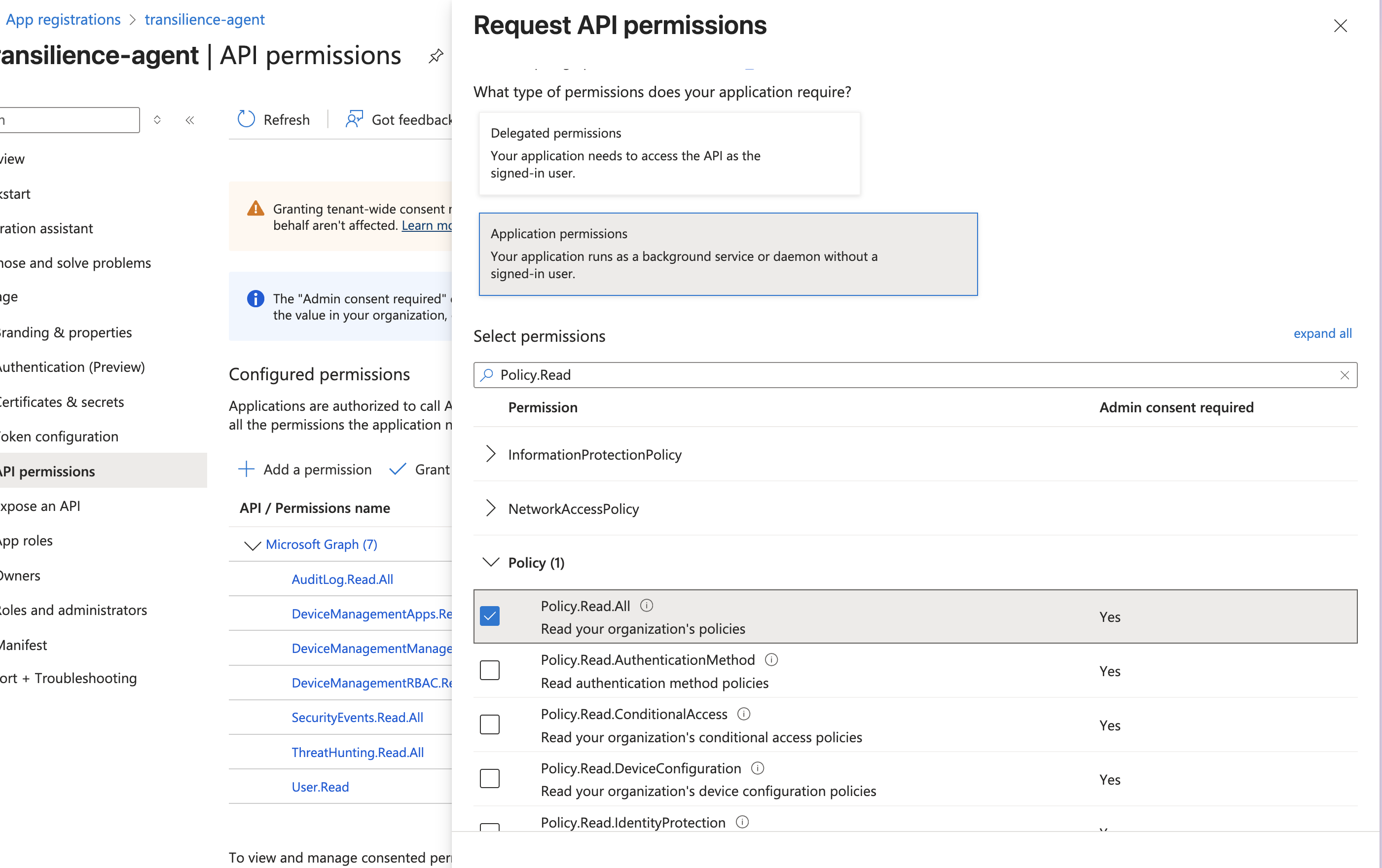
Policy.Read.All
(for us to read policies)
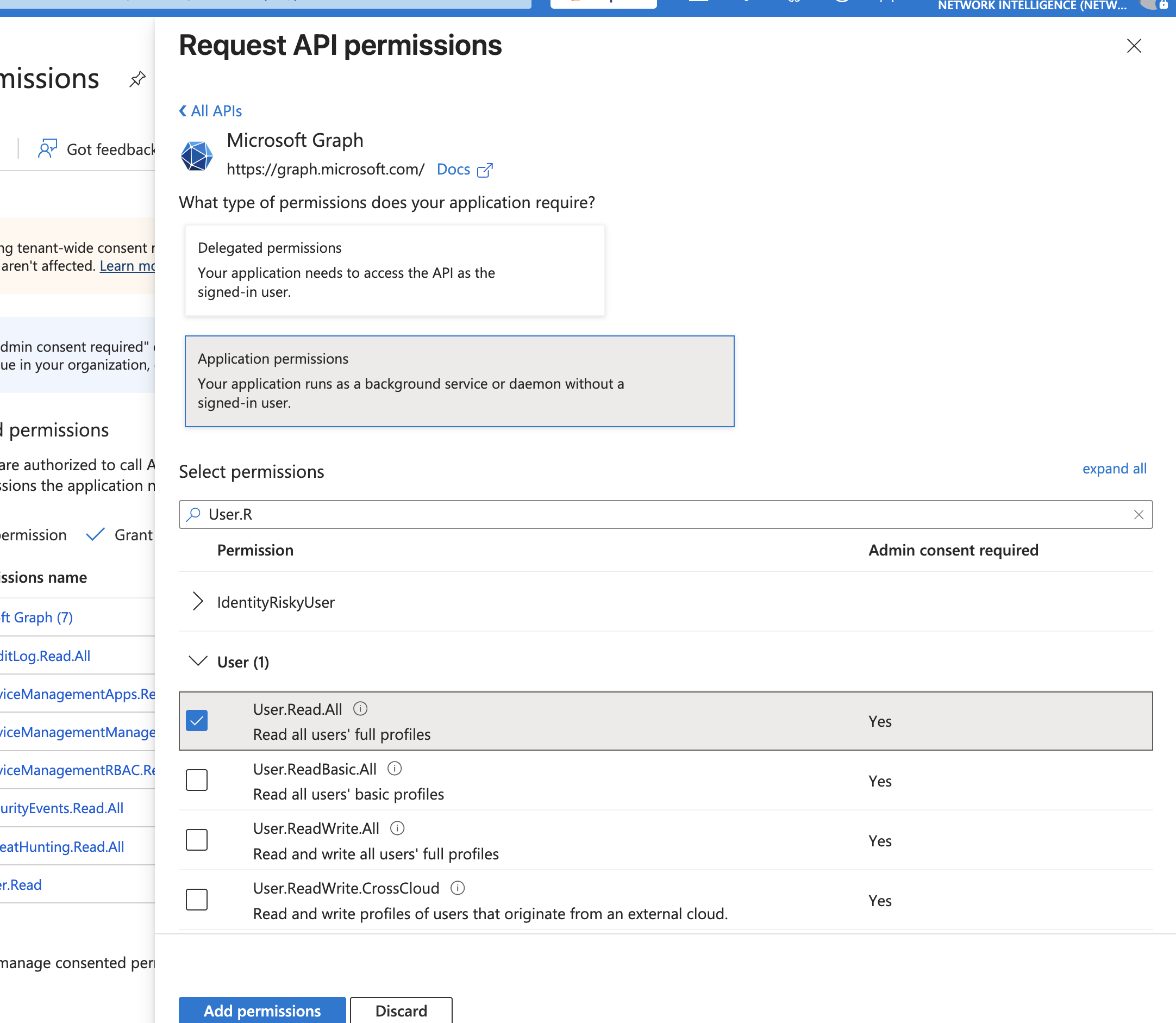
User.Read.All
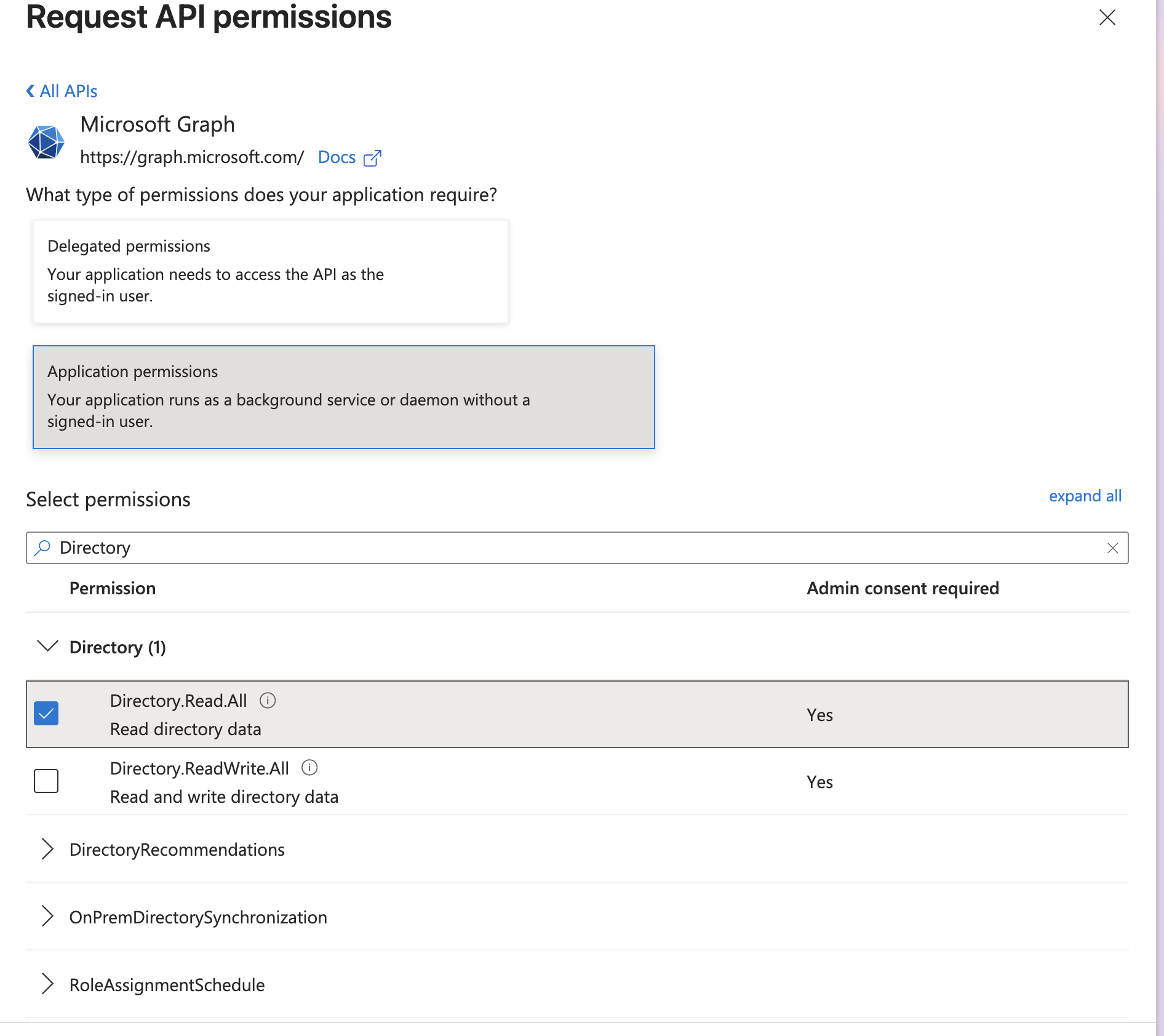
Directory.Read.All
ThreatHunting
Ensure you grant the permissions
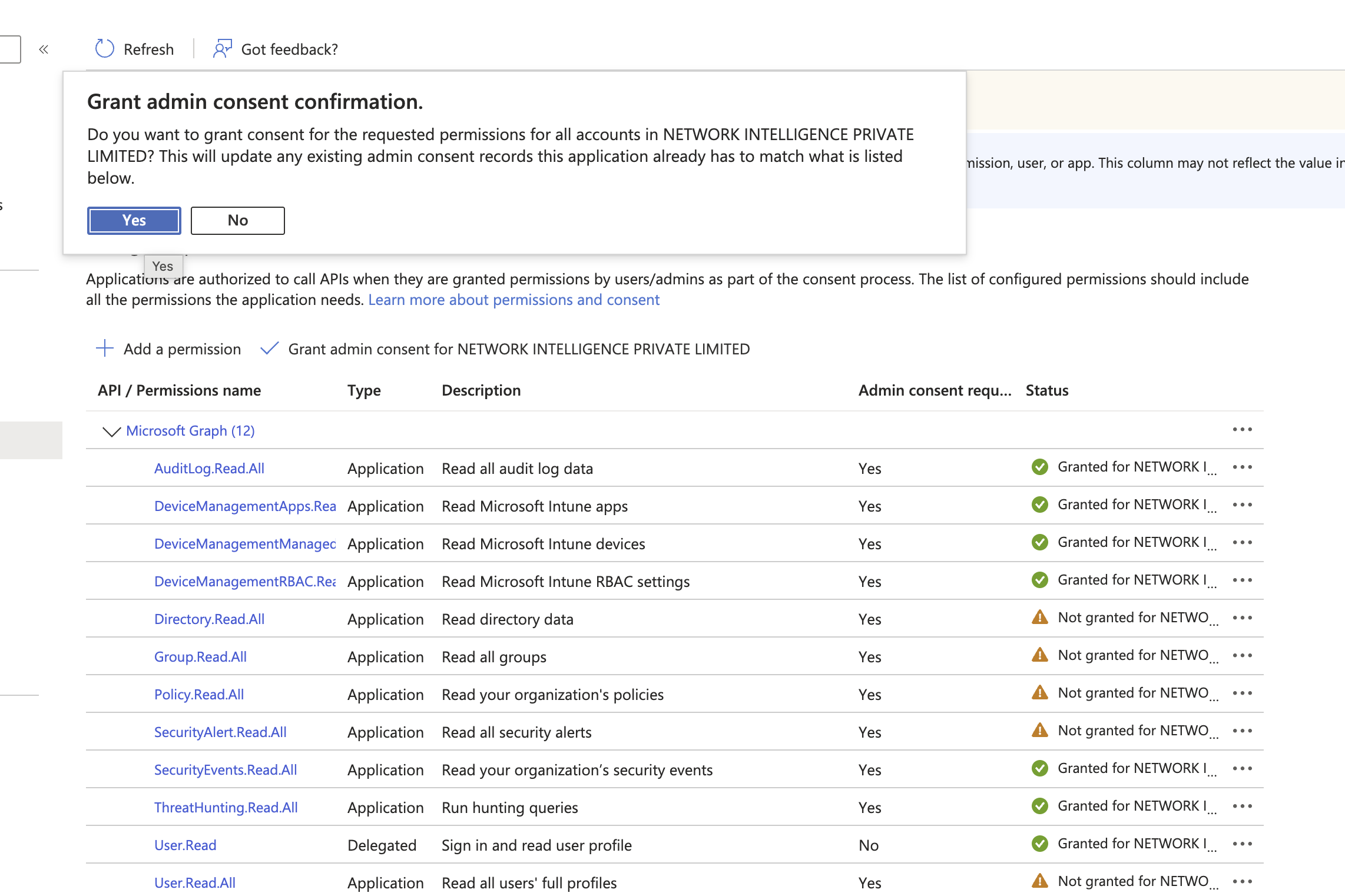
Ensure you added below permissions
| Permission | Security-audit purpose |
|---|---|
Directory.Read.All | Read directory objects and relationships used for tenant-wide identity inventory. |
User.Read.All | Inventory users, account state, and identity attributes. |
Group.Read.All | Inventory groups and membership used for access-path analysis. |
Application.Read.All | Inventory app registrations, enterprise applications, credentials metadata, and consent configuration. |
Device.Read.All | Inventory Entra-registered devices and trust/compliance attributes. |
Organization.Read.All | Read tenant identity, settings, and verified organization properties. |
Domain.Read.All | Read verified and federated domain configuration. |
AdministrativeUnit.Read.All | Read administrative units and their membership/delegation boundaries. |
RoleManagement.Read.Directory | Read Entra role definitions and assignments. |
RoleEligibilitySchedule.Read.Directory | Read eligible Privileged Identity Management role schedules. |
RoleAssignmentSchedule.Read.Directory | Read active and scheduled privileged-role assignments. |
RoleManagementPolicy.Read.Directory | Read PIM activation, approval, duration, and notification policies. |
RoleManagement.Read.All | Read role-management configuration exposed across supported Microsoft Graph resources. |
Policy.Read.All | Read tenant identity and authorization policies. |
Policy.Read.ConditionalAccess | Read Conditional Access policies and named locations. |
Policy.Read.AuthenticationMethod | Read authentication-method and MFA policy configuration. |
Policy.Read.PermissionGrant | Read application consent and permission-grant policies. |
Policy.Read.DeviceConfiguration | Read device registration and authorization policies. |
CrossTenantInformation.ReadBasic.All | Read basic cross-tenant organization information for trust review. |
AuditLog.Read.All | Read directory audit, provisioning, and sign-in activity. |
Reports.Read.All | Read service-usage and security reports. |
ReportSettings.Read.All | Read administrative report settings, including concealed-data settings. |
AuditLogsQuery.Read.All | Query audit-log data exposed across Microsoft services. |
AccessReview.Read.All | Read access reviews, reviewers, decisions, and settings. |
EntitlementManagement.Read.All | Read access packages, catalogs, assignments, and entitlement policies. |
LifecycleWorkflows.Read.All | Read joiner, mover, and leaver workflow configuration and execution history. |
Agreement.Read.All | Read terms-of-use agreements and acceptance records. |
OnPremDirectorySynchronization.Read.All | Read hybrid identity synchronization configuration and status. |
SecurityEvents.Read.All | Read security events exposed through the Microsoft Graph security API. |
SecurityAlert.Read.All | Read security alerts for investigation and control evidence. |
SecurityIncident.Read.All | Read correlated security incidents and their status. |
ThreatHunting.Read.All | Run read-only advanced hunting queries for security evidence. |
IdentityRiskyUser.Read.All | Read risky-user detections and risk state. |
IdentityRiskEvent.Read.All | Read identity risk detections and event detail. |
IdentityRiskyServicePrincipal.Read.All | Read risk findings for workload identities and service principals. |
SecurityActions.Read.All | Read security remediation-action status without initiating actions. |
ThreatIndicators.Read.All | Read tenant threat-intelligence indicators. |
InformationProtectionPolicy.Read.All | Read information-protection policy configuration. |
DeviceManagementConfiguration.Read.All | Read Intune device configuration and compliance policies. |
DeviceManagementManagedDevices.Read.All | Read managed-device inventory, ownership, health, and compliance state. |
DeviceManagementApps.Read.All | Read managed application inventory and app-management policy. |
DeviceManagementServiceConfig.Read.All | Read Intune tenant and service configuration. |
DeviceManagementRBAC.Read.All | Read Intune roles, assignments, and scope tags. |
Save permissions
and Grant permissions
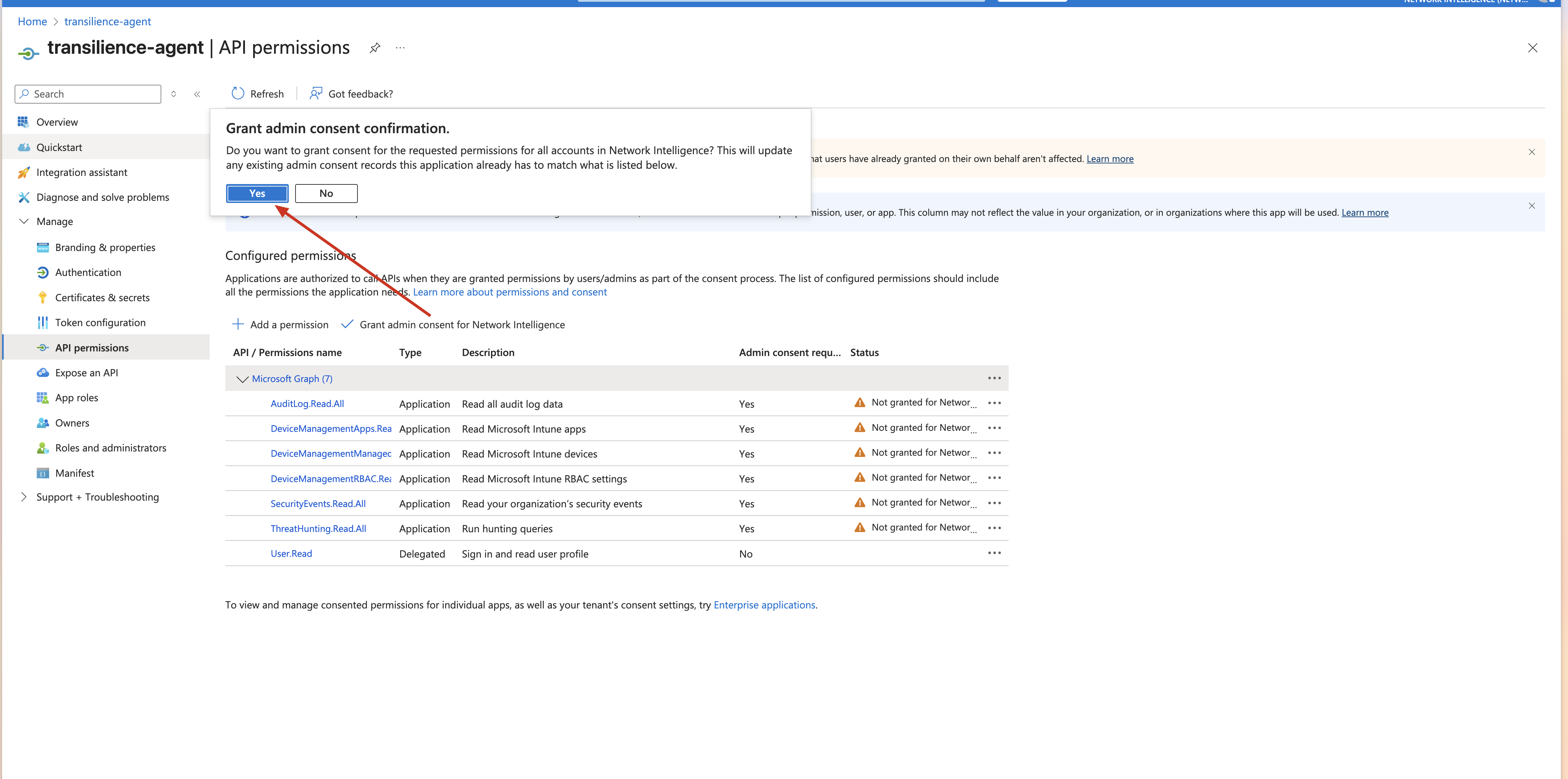
After adding these permissions, click Grant admin consent.
Inform your account manager of your forward deployed engineer that you have given access and pass the client ID, secret, tenant id.
Was this article helpful?
That’s Great!
Thank you for your feedback
Sorry! We couldn't be helpful
Thank you for your feedback
Feedback sent
We appreciate your effort and will try to fix the article